PC

The GVRPFR app

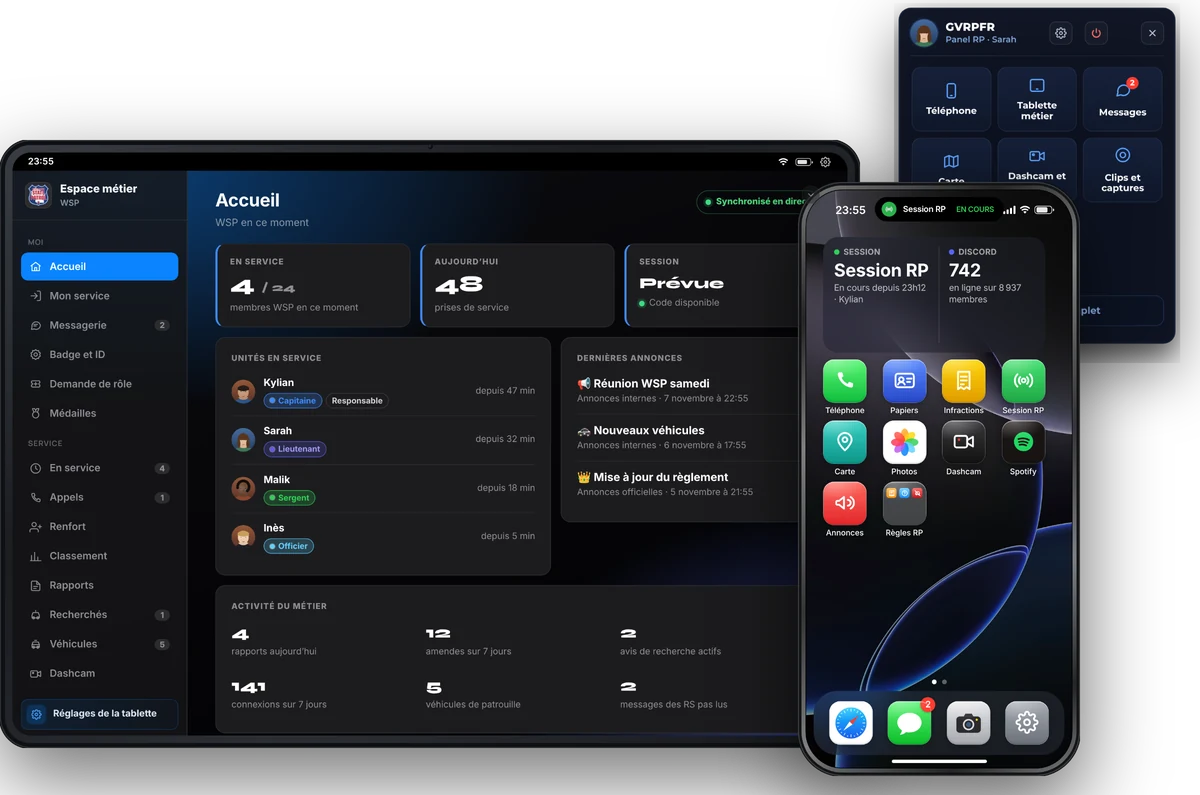
A RP panel button appears under the Greenville RP clock. It opens your phone, your job tablet, messages, announcements, the map and the site without leaving the game.
The app is not available right nowDownloads are closed. Follow the announcements on Discord to know when it's back.
The app is for PC onlyIt installs on a Windows, Mac or Linux computer, not on a phone or tablet, even with the desktop version of the browser. Open this page on your PC to download it.
Download for Windows Other systems
The RP panel, phone and tablet of the GVRPFR app
In game

What the app does

RP panel

It only shows on Greenville RP. A key opens and closes it (F8 by default).

Phone

Messages, calls, photos, Spotify, papers and offences, synced with your member area.

Job tablet

Your job area with the dashcam, for WSP, Sheriff, FD/EMS, DOT and Criminel.

Map and site

The Greenville map and the whole site, open on top of the game.
Download

Download the app

Other system? See the other versions
The app logs in with Discord. The phone and tablet follow the site live. To remove it, there's an Uninstall button in the RP panel settings.
On Windows: “Windows protected your PC”? Here's how to install it
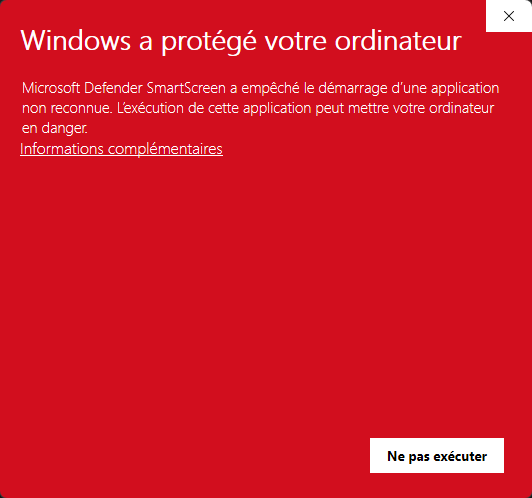
Red “Windows protected your PC” window

This message comes from Windows: the app isn't signed yet. It isn't dangerous, you just need to allow it once.
  • Click More info, the small underlined text under the message.
  • A Run anyway button appears at the bottom, click it.
  • The installation starts, follow it to the end.
  • Don't click Don't run, or the installation stops.
On Mac: “GVRPFR Not Opened”? Here's how to open it
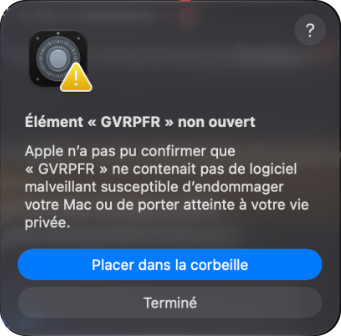
macOS “GVRPFR Not Opened” window

This message comes from macOS: the app isn't signed by Apple yet. It isn't dangerous, you just need to allow it once.

  • Click Done, and definitely not Move to Trash.
  • Open the .dmg file and drag GVRPFR into the Applications folder.
  • Launch GVRPFR once from Applications. The same message comes back, click Done again.
  • Open System Settings, then Privacy & Security.
  • Scroll all the way down. Next to “GVRPFR was blocked”, click Open Anyway.
  • Enter your Mac password, then click Open.
  • Done, the app now opens normally from now on.

If the button doesn't appear, open Terminal, paste this line, press Enter and relaunch the app:

xattr -dr com.apple.quarantine /Applications/GVRPFR.app